

Question : Some companies and entities are promoting self-service kiosks as EAA-Approved. Are they?
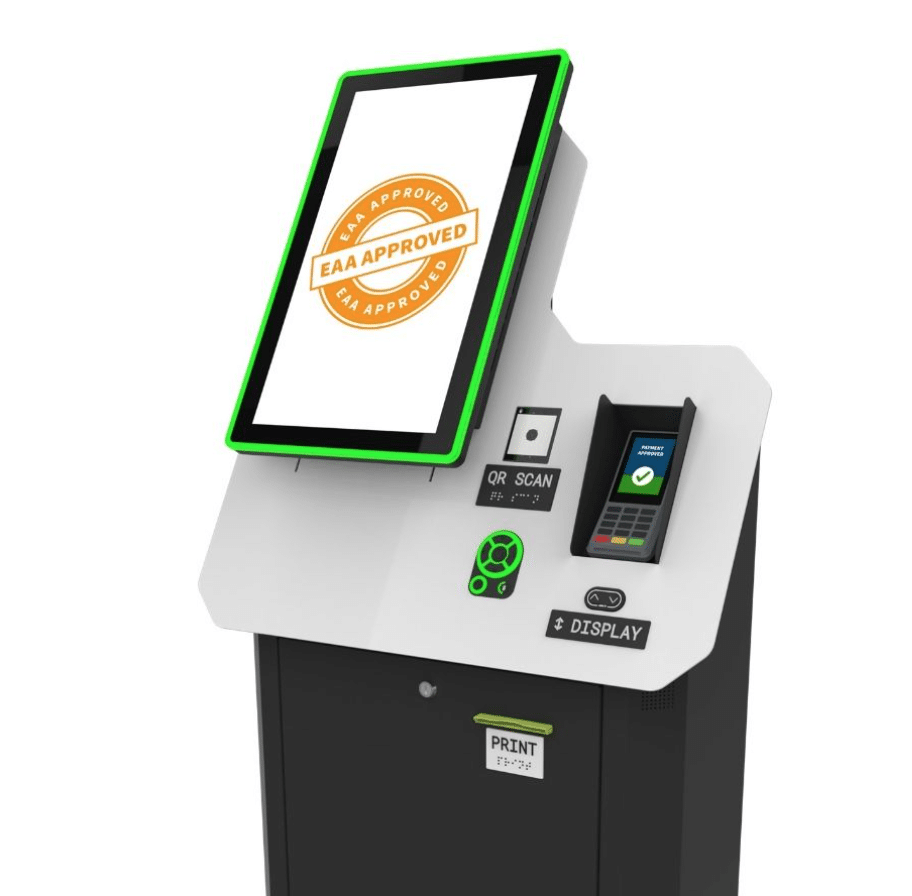
Presumably EAA Approved? – Click for full image
No, there is no such thing as EAA-Approved. There is no such thing as ADA-Approved. All units meet a certain degree or level of regulations, which is to say there are levels of compliance. The closest to full compliance we know of is the LG kiosk. Worth noting imageHOLDERS. Pyramid does McDonalds which are high compliance. See link below.
There is no single centralized “EAA approval” or certification body for self‑service devices; compliance is typically demonstrated by self‑declaration against EN 301 549 within the normal CE‑marking/conformity‑assessment process.
How EAA conformity works
-
Manufacturers and service providers are responsible for assessing their own products and services against the EAA and keeping accessibility conformance documentation on file (usually for at least 5 years). https://digitalaccessibilitycentre.org/blogs/NewEAA-20241217.html
-
For ICT and self‑service terminals, the harmonized standard EN 301 549 is used; meeting it gives a “presumption of conformity” with the EAA. https://testparty.ai/blog/en-301-549-guide
-
The conformity‑assessment route is generally “internal production control” (Module A) – essentially self‑assessment plus technical documentation and an EU Declaration of Conformity, not a mandatory third‑party certificate.
What this means for kiosks and ATMs
-
New self‑service terminals placed on the EU market after 28 June 2025 must meet EAA requirements and be able to show test results, design evidence, and procedures that demonstrate accessibility (hardware, software, documentation, support). https://www.imageholders.com/insights/the-eaa-is-coming-5-steps-to-prepare-your-self-service-terminals/
-
Market‑surveillance or national authorities can ask to see this evidence; if they find non‑compliance, they can require fixes, restrict sales, or apply fines, but they do not “pre‑approve” each device in advance.
Here’s a vendor‑facing EAA / EN 301 549 checklist you can use for kiosks and other self‑service terminals.
1. Basic regulatory items
Ask the OEM to confirm:
-
CE marking is applied and valid for the full terminal.
-
An EU Declaration of Conformity exists that explicitly lists the EAA and EN 301 549 (v3.2.1) among the applied standards.
-
Instructions and safety information are available in the target Member State languages.
2. Hardware & enclosure
For the specific kiosk configuration, ask for:
-
Drawings showing operable parts (touchscreen, keypads, payment, scanner, printer, audio jack) within EN 301 549 reach ranges and with wheelchair knee/toe clearance.
-
Statement that all controls can be operated with less than 22.2 N of force and without tight grasping, pinching, or twisting.
-
Tactile identification for key controls (e.g., confirm, cancel, navigation keys, headphone jack) and high‑contrast labels.
-
Audio output with user‑controlled volume and a 3.5 mm jack or equivalent for private listening.
3. Software / UX
For the kiosk software image that will ship:
-
EN 301 549 conformance mapping for Chapter 11 (software) showing WCAG 2.1 AA coverage for all user flows (input, error states, timeouts, receipt selection, etc.).
-
Confirmation that all functions can be completed without time‑limited steps, or that time limits can be extended/disabled with accessible prompts.
-
Evidence of keyboard‑only or tactile‑keypad operability for all tasks (no gesture‑only or drag‑only interactions).
-
Color‑contrast and text‑size compliance statement for core templates (menus, PIN entry, tickets, receipts).
4. Assistive technologies & audio guidance
For accessibility mode and assistive tech integration:
-
Description of the “accessible mode” entry mechanism (e.g., long‑press on a key, headphone‑jack insertion, dedicated button) and confirmation that it is independently discoverable by a blind user.
-
Confirmation that the kiosk supports screen‑reader‑style speech output for all information needed to complete transactions (e.g., JAWS for Kiosk, proprietary TTS).
-
Mapping showing that on‑screen labels, focus order, and speech announcements are synchronized (“label in name”).
5. Documentation & testing
Ask the OEM to provide or attest:
-
A completed EN 301 549 or EAA accessibility checklist / ACR for the kiosk model and software version you will ship.
-
Summary of usability testing with people with disabilities (vision, mobility) or a statement that testing is scheduled, including any known gaps and remediation roadmap.
-
Internal procedure for maintaining accessibility when they issue software or hardware updates (change control affecting your deployments).
6. Distributor‑specific verifications
As a distributor, record that you have:
-
Verified CE mark and existence (not copies) of the EU Declaration of Conformity and technical file for each kiosk line.
-
Logged which product variants/configurations you place on the market and which accessibility options (e.g., audio pad, height‑adjustable stand) they include.
-
Kept supply‑chain identification records (suppliers/customers, models, dates) for at least 5 years.
Pro Tip —
-
If you prioritize proven ruggedization, metal construction, and very broad deployment history (including ATMs and voting), the Storm AudioNav/Nav‑Pad remains the more battle‑tested option than the knockoff.
- There are new accessibility features which have not yet been incorporated into European standards, but probably will. Voice operated as primary interface with touch the secondary interface. It is natural migration from keyboard/mouse to touchscreen to voice. Conversational with AI. Plan for upgraded speakers and microphone for later installation.