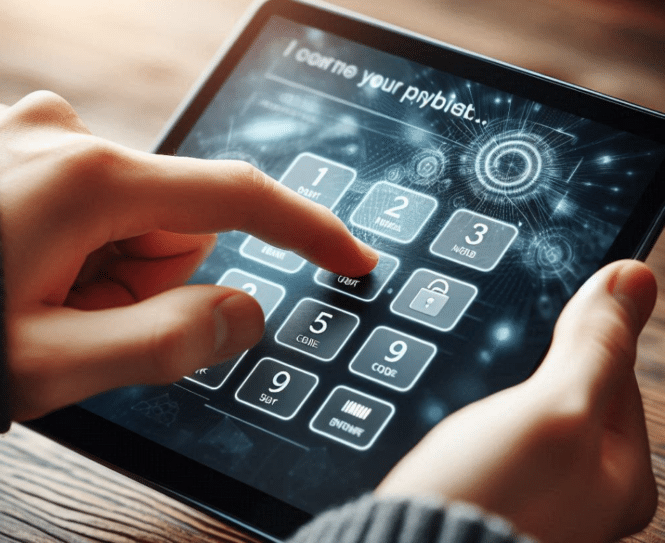
PIN On Glass” POG — Is it OK?

PIN on Glass

Touch Screens and “PIN On Glass” POG — Is it OK?

Touchscreen Payment Via Pin On Glass (POG) via Android

We were asked about using Pin on Glass.  Would be nice to get rid of numeric keypad.

Comment from Datacap: Yes, PIN on Glass is supported in the US. It’s generally supported via purpose-built PCI PTS devices that have certified PoG with EMVCo and/or on COTS (consumer off-the-shelf) devices via a SoftPOS (contactless payments only) implementation. That being said, PIN on SoftPOS is still pretty rare in the US. Expect to see it more over the next year or two as SoftPOS adoption gains momentum.

For a payment kiosk in the U.S., PIN-on-Glass (PoG) technology is generally acceptable, provided it meets specific security standards and certifications. Here’s what you need to know:

Overview

Acceptability and Standards

PIN-on-Glass is an evolving technology in the payment industry that allows customers to enter their PIN on a touchscreen device rather than a physical keypad

. For a payment kiosk to use PoG in the U.S., it must adhere to strict security requirements:

  1. PCI Certification: The device must be certified by the Payment Card Industry Security Standards Council (PCI SSC)
  2. Hardware Requirements: The kiosk should use PCI PTS (PIN Transaction Security) approved hardware-based point of interaction (POI) devices built on a mobile device platform
  3. Software Requirements: If using a software-based solution, it must comply with the PCI Software-based PIN Entry on Commercial Off-The-Shelf (SPoC) standard

Security Measures

PoG solutions incorporate multiple layers of security to protect sensitive data:

  • Encryption of PIN and payment information
  • Tamper detection mechanisms
  • Secure boot processes
  • Isolation of PIN from other cardholder data

Considerations for Implementation

When implementing PoG for a payment kiosk in the U.S., consider the following:

  1. Compliance Deadlines: Be aware of any mandates from card brands. For example, Visa announced a sunset date for non-approved SPoC solutions
  2. Accessibility: Ensure the kiosk can accommodate customers with disabilities to avoid potential legal issues
  3. Consumer Trust: Some customers may be hesitant to use PoG technology, particularly in areas with strong “Protect your PIN” awareness programs
  4. EMV Transactions: PoG solutions often focus on EMV (chip) transactions rather than magnetic stripe, which enhances security

In conclusion, PIN-on-Glass is acceptable for payment kiosks in the U.S., provided the solution meets PCI standards and incorporates robust security measures. As the technology continues to evolve, it’s crucial to stay updated on the latest requirements and consumer preferences to ensure successful implementation.

Legal Considerations

Accessibility Issues

Merchants using PIN-on-Glass solutions need to be aware of potential legal risks related to accessibility:

  • Many jurisdictions, including the US, Canada, and the EU, have laws aimed at providing accessibility for disabled individuals
  • A merchant offering payment only via PIN-on-Glass could be at risk under these laws, as there have been lawsuits filed in the US over the use of touch screens and apps
  • Merchants need to do their due diligence to ensure they can accommodate customers with disabilities, or they may find themselves facing legal action

Security and Compliance Requirements

There are also legal implications related to security standards and compliance:

  • Merchants must use PCI-approved Secure Card Reader for PIN (SCRP) devices
  • PIN-on-Glass solutions must comply with the PCI Software-based PIN Entry on COTS (SPoC) standard
  • Visa has mandated that merchants accepting PIN-based transactions via COTS devices must use or transition to a PCI-validated software-based PIN entry on COTS solution
  • Failure to comply with these standards could result in legal liability in case of data breaches or fraud.

Consumer Protection Laws

Merchants may face legal risks related to consumer protection:

  • If proper security measures are not in place, merchants could be held liable for fraudulent transactions or data breaches.
  • Consumers may have legal recourse if their PIN data is compromised due to inadequate security measures.

Contractual Obligations

Merchants should be aware of potential contractual implications:

  • Agreements with payment processors or acquiring banks may require compliance with specific security standards for PIN entry.
  • Failure to meet these contractual obligations could result in legal disputes or termination of services.

To mitigate these legal risks, merchants should ensure they are using PCI-compliant PIN-on-Glass solutions, provide accessible alternatives for customers with disabilities, and stay informed about relevant laws and regulations in their jurisdictions

Where is Pin Use Relevant

Debit Card Transactions

PIN is most commonly used with debit cards in the following scenarios:

  • ATM Withdrawals: When withdrawing cash from an ATM, entering a PIN is typically required
  • Point-of-Sale (POS) Purchases: Many merchants offer the option to use PIN for debit card purchases. When using a debit card at a store, customers can often choose between “debit” (which requires PIN entry) or “credit” (which may require a signature)
  • Cash Back at Retailers: When getting cash back during a purchase at a store, PIN entry is usually required

Credit Card Transactions

While less common, PINs can sometimes be used with credit cards:

  • Cash Advances: When using a credit card to withdraw cash from an ATM, a PIN is typically required
  • Chip and PIN Cards: Some credit cards, particularly those designed for international use, may use chip and PIN technology. However, this is less common in the U.S. compared to other countries

Online and Mobile Transactions

  • Two-Factor Authentication: Some banks use PINs as part of their two-factor authentication process for online or mobile banking transactions

Additional Considerations

  • Signature vs. PIN: In the U.S., signature-based transactions are still common, especially for credit cards. However, PIN-based
  • Merchant Discretion: Some merchants may prefer PIN transactions due to potentially lower processing fees, while others may opt for signature-based transactions
  • Contactless Payments: With the rise of contactless payments, some transactions may not require PIN entry for small amounts

It’s worth noting that the use of PINs in the U.S. is less prevalent compared to some other countries, particularly for credit card transactions. However, for debit card usage, especially at ATMs and for cash back at retailers, PINs remain a standard security measure.

EUROPE

Contactless Payments

Contactless payment has become increasingly prevalent across Europe, reducing the need for PIN entry for many transactions:

  • Most purchases under €50 (or the local equivalent) can be made without entering a PIN
  • Using mobile payment methods like Apple Pay or Google Pay often eliminates the need for PIN entry, even for larger purchases

Chip and PIN

Despite the rise of contactless payments, chip and PIN technology remains standard in many European countries:

  • For transactions exceeding the contactless limit, a PIN is typically required
  • Some countries, like France, have implemented “PIN Online” verification, where the PIN is verified directly with the bank’s server rather than the card chip

Variations by Country and Merchant

The use of PINs can vary depending on the specific country and merchant:

  • In Germany, some establishments may only accept cash or specific cards like Eurocard
  • Unattended payment points (e.g., ticket machines, parking garages, self-service gas pumps) often require chip and PIN cards

American Cards in Europe

For American travelers using US-issued cards:

  • Many US cards now work with contactless payments in Europe
  • Some US cards may still default to chip and signature rather than chip and PIN
  • At manned terminals, signature-based transactions are usually accepted, but automated kiosks may require a PIN

More PIN on Glass and PIN on Mobile Background

  • 2022 Ingenico — What’s the Difference Between PIN on Glass and PIN on Mobile?  With Apple’s recent announcement of Tap to Pay on iPhone, use of mobile devices to accept payment at the point of sale continues to gain traction. With that in mind, I thought it was important to discuss the differences between PIN on terminal, PIN on glass and PIN on mobile, as card authentication will continue to play a big role in how tap to pay on mobile devices will ultimately work.
  • 2020 — What is PIN on Glass – Trustonic

More Links

Author: Staff Writer   Craig Keefner — With over 40 years in the industry and technology, Craig is widely considered to be an expert in the field. Major early career kiosk projects include Verizon Bill Pay kiosk and hundreds of others. Craig helped start kioskmarketplace and formed the KMA. Note the point of view here is not necessarily the stance of the Kiosk Association or kma.global

IAAPA Kiosks and More

Visit us at IAAPA

IAAPA Kiosk Update – 2024 – Pyramid, TPGi, RedyRef & AcquireDigital

iaapa kiosk

IAAPA Ticketing Kiosks

Booth 5727 — Show floor is Nov 19-22 — Orlando Florida. Here is main IAAPA website.  In 2024 for our IAAPA kiosk show we will have four member companies featured.  Here is registration link and highly recommended to download the app for your phone. This year, the show information will be more robust on the phones in the app than on the usual exhibitor portal desktop page.

Free invites. We can give you free invite code. Email info@kioskindustry.org — you can also visit kioskindustry.org where we have the code listed.

For more info, free pass or to set up a meeting:

  • send email to craig at info@kioskindustry.org or you can text me at 720-324-1837
  • More member emails below

Pyramid Show Panel – zahdan.elzahdan@pyramid-america.com


TPGi Show Panel – tmurray@vispero.com


RedyRef Show Panel  — sales@redyref.com


AcquireDigital Show Panel — troy.engelland@gmail.com


iaapa floor


U.S. Access Board Meeting and Webcast (October 30)

U.S. Access Board October

Update 11/8/2024: Here is excerpt from meeting with comments by Sachin.  Led with SSTM status which is undergoing review by OMB. Once completed will be issued for comments. Possible date Feb 1st, 2025.

All are welcome to attend the next meeting of the U.S. Access Board, which will be open to the public and take place virtually on October 30 from 1:30 – 3:00 p.m. (ET). The agenda for the meeting includes brief reports from standing and ad hoc Board committees, federal agency updates, and a report by Executive Director Sachin Pavithran.

US Access Board News

US Access Board News

Members of the public may attend the meeting through the Zoom.gov platform or by phone (listen-only mode). Please note that participation over Zoom will require the use of the passcode provided below. For further information, contact Rose Marie Bunales at events@access-board.gov.

Meeting of the U.S. Access Board
October 30, 2024, 1:30 PM – 3:00 PM (E.T.) Zoom: https://www.zoomgov.com/j/1616536186
Meeting ID: 161 653 6186
Passcode: 128200
Dial in: (646) 828-7666
Contact: events@access-board.gov


Related Access Board Articles


From MS Pilot

The U.S. Access Board is an independent federal agency that promotes equality for people with disabilities. It achieves this through leadership in accessible design and the development of accessibility guidelines and standards for various environments and technologies.

Key Functions:

  • Developing Accessibility Standards: The Board creates and maintains design criteria for the built environment, transportation, communication, medical diagnostic equipment, and information technology.
  • Providing Technical Assistance: It offers guidance and training on accessibility standards to help ensure compliance and promote best practices.
  • Advancing Inclusive Design: The Board works to ensure that public spaces and services are accessible to all, including sidewalks, crosswalks, and public transportation.

Recent Initiatives:

  • Electric Vehicle Charging Stations: Seeking public comment on proposed rules to make EV charging stations accessible.
  • AI and Disability: Hosting hearings on the impact of artificial intelligence on the disability community.
  • COVID-19 Home Tests: Publishing best practices for designing accessible COVID-19 home tests.

For more detailed information, you can visit their official website1.

Guidance on WCAG 2 for Non-Web Information 2024

W3C

WCAG2ICT Published as W3C Group Note

US Access Board News

US Access Board News

On October 8th, 2024, the W3C Accessibility Guidelines Working Group (AGWG) published Guidance on Applying WCAG 2 to Non-Web Information and Communications Technologies (WCAG2ICT) as a completed W3C Group Note. WCAG2ICT describes how Web Content Accessibility Guidelines (WCAG) principles, guidelines, and success criteria can be applied to non-web information and communications technologies (ICT), specifically to non-web documents and software. The Note includes guidance for WCAG 2.0, 2.1, and 2.2 success criteria and glossary terms. For an introduction, see: WCAG2ICT Overview.


On October 8th, 2024, the W3C Accessibility Guidelines Working Group (AGWG) published Guidance on Applying WCAG 2 to Non-Web Information and Communications Technologies (WCAG2ICT) as a completed W3C Group Note. WCAG2ICT describes how Web Content Accessibility Guidelines (WCAG) principles, guidelines, and success criteria can be applied to non-web information and communications technologies (ICT), specifically to non-web documents and software. The Note includes guidance for WCAG 2.0, 2.1, and 2.2 success criteria and glossary terms. For an introduction, see: WCAG2ICT Overview.

The WCAG2ICT Group Note has been a key resource for including WCAG in ICT accessibility regulation, legislation, and other standards around the world. The updated WCAG2ICT now facilitates further adoption of WCAG 2.1 and WCAG 2.2 in non-web contexts.

Example: Examples of technology that may have closed functionality include but are not limited to:

  • self-service transaction machines or kiosks — examples include machines used for retail self-checkout, point of sales (POS) terminals, ticketing and self-check-in, and Automated Teller Machines (ATMs).
  • telephony devices such as internet phones, feature phones, smartphones, and phone-enabled tablets
  • educational devices such as interactive whiteboards and smart boards
  • entertainment technologies including gaming platforms or consoles, smart TVs, set-top boxes, smart displays, smart speakers, smart watches, and tablets
  • an ebook reader or standalone ebook software that allows assistive technologies to access all of the user interface controls of the ebook program (open functionality) but does not allow the assistive technologies to access the actual content of book (closed functionality).
  • medical devices such as digital blood pressure monitors, glucose meters, or other wearable devices
  • an operating system that makes the user provide login credentials before it allows any assistive technologies to be loaded. The login portion would be closed functionality.
  • other technology devices, such as printers, displays, and Internet of Things (IoT) devices

More WCAG Non-Web

EV Charging Station Regulations

EV Charging ADA

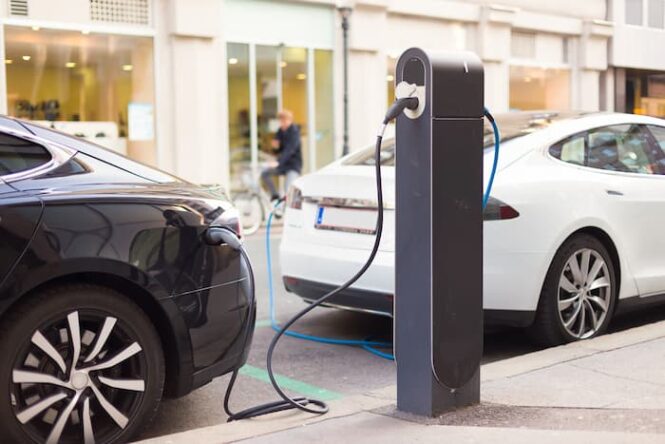
U.S. Access Board Seeks Public Comment on Proposed Rule for Electric Vehicle (EV) Charging Stations

On September 3, the U.S. Access Board published a notice of proposed rulemaking (NPRM) to amend the EV charging regulations and accessibility guidelines for buildings and facilities covered by the Americans with Disabilities Act of 1990 (ADA) and the Architectural Barriers Act of 1968 (ABA) to specifically address the accessibility of electric vehicle (EV) charging stations. This proposed rule provides specifications for the accessibility of EV charging stations, to include the EV charger (including physical and communication access), EV charging space, access aisles, and accessible routes. The public can review the docket and read background documents or comments received on the docket webpage.

“The Access Board seeks the public’s feedback and comments on our proposed rulemaking on EV charging stations. As technology advances, so must our accessibility standards to ensure that Americans with disabilities have equal access to advancements in technology, such as electric vehicles,” remarked Executive Director Sachin Pavithran. “This is an opportunity for the public to engage with the Access Board’s rulemaking, and we look forward to reviewing your public comments as we move our rulemaking efforts forward.”

More Posts on EV Charging Regulations

Background

There are several key regulations in place for EV charging stations in the United States:

  1. Installation, Operation, and Maintenance: Charging stations must meet specific standards for installation, operation, and maintenance. This includes having a minimum number of ports, types of connectors, and payment methods1.
  2. Interoperability: The infrastructure must be interoperable, meaning it should work seamlessly with different types of EVs and charging networks1.
  3. Accessibility: There are requirements to ensure that EV charging stations are accessible to all users, including those with disabilities. This includes provisions for accessible routes and operable parts2.
  4. Data and Connectivity: Charging stations must provide data on their locations, pricing, real-time availability, and accessibility. This information should be accessible through mapping applications1.
  5. Signage: Proper traffic control devices or on-premises signage must be installed in concert with the EV charging infrastructure

Mobile Apps and Accessibility

smart city

Accessible Mobile Apps

Generally we stay focused on kiosks here at the KMA.  Having said that, oftentimes in-house development projects for “unattended customers” which involve kiosks, often involve mobile apps and even websites for that matter. Here is a look from kioskindustry on mobile accessibility

Excerpt:

Accesssible Apps From LinkedIn Collaboration

Your team values speed over accessibility. How can you ensure inclusivity while meeting tight deadlines?

Accessible apps – When time is of the essence, it’s essential to identify the accessibility tasks that will have the most significant impact. Start by implementing keyboard navigation and ensuring that all content is accessible through assistive technologies. This doesn’t have to be time-consuming; simple adjustments to HTML can make a big difference, such as using <header> , <nav> , and <footer>elements for better document structure.

Our perspective on accessible apps  (747 words)
Start with identifying main channels and percentages. How much desktop versus mobile? Probably more mobile (60%?) and accessibility considerations are different for both. Is it Europe or US? They are different. https://kioskindustry.org/standards/ is good start point to learn how we think about kiosk accessibility and standards. Most of them apply in part to mobile.

For testing mobile I suggest the Section 508 Mobile Standards Testing summary by VA. Checking mainstream web accessibility use google pagespeed and MS edge. Generally just tune your stylesheet. Simple and easy. Takes 20 minutes. Arias and menu picklists are the real pains and they are easy too.

A slow site is less accessible as well.

New standards from US Access Board come out in next 60 days. New legal liabilities. Large companies are often held for ransom by lawyers.

Reply

Don’t forget iOS versus Android either. Great thing about pagespeed is it looks at it from Mobile perspective, then Desktop. Plus it tells you how fast or slow. Lighthouse in developer tools is another option and so is ARC from Vispero. All free.
Editors Note:  We do recommend experienced consultants in unattended customer input space and those would be TPGiTech For All and Dolphin. Very useful and in particular for kiosk applications. Often – the overall project codebase will include not only mobile but POS, kiosks and web. It is also worth noting that while no definitive stats the general consensus is that the disabled community grew up on iOS and uses it more than Android.

More Posts on Accessible Mobile

Airport Kiosks – Does ADA Discriminate against Tall People?

Standing Tall – Does ADA Discriminate?

Editors Note: Being able to think critically about ADA is good practice.  There are many forms of accessibility and many of those are ignored in favor of the more popular. The writer is expressing their own opinion and not Kiosk Industry Group/Self Service Kiosk Machine.  Discussion was stimulated (see comments below) and that was outcome we sought.

Christoph Nussbaumer CEO of Alpine Kiosk

Christoph Nussbaumer CEO of Alpine Kiosk

About the WriterChristoph Nussbaumer is the CEO of REINGroup based in Austria. Alpine Kiosk boasts a diverse array of designs, each is highly adaptive and radiating elegance and sophistication.  Alpine Kiosk – Where each design is a testament to premium craftsmanship.  Alpine Kiosk is Gold Supporter of Kiosk Industry Group and member of the KMA Kiosk Association. His viewpoint from Europe and US is invaluable.  His viewpoint and opinion is his own.


Recently, I attended the Passenger Terminal Expo in Frankfurt, Germany. I spoke with most of the self-check-in kiosk manufacturers and found out that many intend to build only ADA-compliant kiosks in the future. They worried about the risk involved if a wheelchair user caannot immediately find an accessible kiosk, so better make them all ADA.

This raises an important question: Is this approach practical? Should ADA regulations specify a percentage of kiosks that must be wheelchair accessible? Is it discriminatory if a company installs only ADA kiosks?

airline kiosks ada

airline kiosks ada

Consider this scenario:

A visually impaired person who is 6 foot one (1.85 meters) tall is at an airport searching for a self-check-in kiosk. The ADA-compliant kiosk’s screen is set very low, with the Storm ADA interface even lower. The ticket and bag tag printers are nearly at ground level (seen in real life at the Passenger Terminal Expo in Frankfurt).

Nowadays, most kiosks at ADA height have a Storm interface or other tactile/voice/sound input/output possibilities, but standard height ones do not. Again, a tall visually impaired person might not be happy. Isn’t this discriminatory towards a visually impaired person?

A few statistics:

50% of the U.S. population is over 1.68 meters tall and 25% are over 1.75 meters tall. For all these people, whether disabled or not, using a low kiosk is uncomfortable.

My Call for AIA!!!

I advocate for the Americans Inclusion Act (AIA), which would ensure that self-service devices are designed for all people. It shouldn’t be permissible to have kiosks set only at wheelchair height. There should be a rule specifying what percentage of kiosks should be at ADA height and what percentage at standard height.

Ergonomics at the Workplace

Over decades, workplace ergonomics have evolved and, in some cases, been codified into regulations or laws. Why should these principles be ignored for self-service kiosks?

An ADA kiosk is currently uncomfortable for the average person or at least for 25-50% of the population. Therefore, a “one size fits all” approach is not practical; we need kiosks at two different heights.

Neck Problems in Younger Generations Due to Smartphone Use

Studies show that younger generations are developing neck problems from looking down at their phones. We are repeating this with ADA kiosks and tilted screens, requiring users to look down. The only ergonomically correct and comfortable way is to look straight at a vertical screen, or if tilted, at a comfortable height.

Height-Adjustable Kiosks as an Alternative?

This seems like a good theoretical solution. It meets ADA legal requirements, but in practice, it may fall short. Self-service kiosks aim to increase efficiency and customer flow, so they need to be quick to use.

Height-adjustable kiosks, like adjustable desks, are usually motorized. Imagine standing in line, waiting as each person adjusts the height (cue motor noise). Waiting 10 seconds can feel like an eternity. And what are the additional costs of these height-adjustable kiosks?

The Department of Transportation (DOT) and Airports:

Interestingly, the Department of Transportation (DOT) already mandates that at least 25% of all kiosks in airports be accessible. This higher percentage ensures better accessibility and reduces wait times for individuals with disabilities. So, why doesn’t ADA make similar clear requirements for all environments?

Conclusion:

A one-size-fits-all concept is impractical. Dear manufacturers, please don’t offer your clients only ADA-compliant kiosks. That has nothing to do with ergonomics!

Recommend a certain percentage of ADA kiosks and make some kiosks at standard height with a convenient Storm ADA interface – 50% of visually impaired people over 1.68 meters will thank you. To the ADA committee, please specify in your guidelines what percentage of kiosks at a location should be wheelchair accessible. The term “sufficient” is not specific enough.

Comments Welcomed – Discussion is a Good Thing

  • Seriously, the old adage I hear thrown around all the time is “tall people can bend down”. At 6’-1” I’m not super tall, but tall enough that ADA compliant Kiosks are often hard to use. I recall being in Italy last summer and using a Kiosk set way above ADA and thinking how luxurious it was to not bend over. But I also think that way about tall showers, taller bathroom counter tops and the like. This world is not well tailored to the tall. Frank Olea
  • I do believe one size can fit all when Universal Design Principles are applied at the concept phase of development. And I don’t think pushing a button to adjust the height of a kiosk would critically impact the queue time, it’s a matter of seconds not minutes. The idea though, that the solution is modification instead of innovation, is what gets us stuck. What if a kiosk sensed the position of the user? Possibilities open up when the design is based on the user experience with full inclusion at the beginning. Also, I feel like percentages [what percent of kiosk should be ADA] is a futile discussion, there will never be consensus. Moreover, how is it an equitable experience when a user has to hunt for the kiosk that will “work” for them? Will there be kiosks for people using wheelchairs and those who are short, a few for people with sight loss, and then some for tall people too? Imagine if spell check was only available on two of the office computers! Universal Design benefits everyone.  MJ Barry, Dolphin Computer Access
  • Craig Keefner — Seems like always exceptions. One of the complaints about the Little Clinic check-in kiosks is that some find them too short. This is Colorado and maybe people are higher than the base the ADA standards used (5 foot 4″ is my guess but I will check.
  • Craig Keefner — Philippe Boileau With increased use of cameras many have to crouch to get in focus. Eye level for a woman at 64″ still has to “reach” down to the 48 (or 44) max. I understand the most good for the most people but the min/max parameters still have problems. THere are short urinals in bathrooms but not all of them are short. The 48 reach is generally derived from person in wheelchair extending arm. Also consider less than 3% of US public uses a wheelchair. Its a tough equation no matter how you view it.
  • Frank Olea — Is it at all possible that ADA compliant kiosks are not inclusive to tall

    Patient Check-in Kiosk with Riser for Elevated Height

    Patient Check-in with Riser for Elevated Height

    people? I’m 6’-1” and when I stand in front of my own product I have to stoop and I’m not really “tall”. We build this check in kiosk for a very large healthcare chain and they got complaints from taller patients, so they had us make a riser for some of the kiosks that go out to accommodate taller patients. Christoph Nussbaumer recently wrote an article about it and it started a lot of debate with us Kiosk types.  See image to the right. If I were to guess I would say Kaiser Permanente

  • See Little Clinics in Kroger article. One of the complaints is unit is too short. It is Elo model and it is perfect ADA spec.
  • Thread on Linkedin
  • Chad Behling, PMPView Sr. PMP Certified Project Manager & Program Manager – When I worked at Uber and was helping run kiosk pilots, we utilized a stool for taller people to confortably use the kiosk but the experience was different as they were mostly used for driver onboarding, which took more time than something like check in.
  • Netherlands and Germany are the tallest. https://en.m.wikipedia.org/wiki/Average_human_height_by_country

    average height of wheelchair users

    average height of wheelchair users

Useful Links

Related Links

Bit of Humor Never Hurts

Driving With Disability

driving with disability

Disabilities and Driving

Nice article from law firm on driving with disabilities

Thanks to the Americans with Disabilities Act, departments of motor vehicles cannot deny a person a driver’s license simply because of a disability.

What are some disabilities that people drive with?

Many people with a disability can drive safely. The type and severity of a disability can determine whether driving is safe for you. These are some of the disabilities that people have who are still able to drive.

Alzheimer's disease and dementia

Alzheimer’s disease and dementia

Individuals with mild cases of dementia (such as Alzheimer’s disease) may still be able to drive. But as memory loss increases or decision-making skills deteriorate, they should stop driving. If you’re not sure about whether it’s safe for you or a loved one with dementia to drive, ask the patient’s doctor to make this determination.

Epilepsy

Epilepsy

Each state has regulations on how a person with epilepsy can get a driver’s license. Many states require people with epilepsy to be seizure-free for a specific length of time and submit a physician’s evaluation of their ability to drive safely. Other common requirements include ongoing medical reports while they have their driver’s license.

More than 50 million people across the globe, with 1.1 percent of U.S. adults live with epilepsy. Driving with this condition requires careful consideration and adherence to safety guidelines to help minimize the risk of accidents or injury. By staying informed and working closely with your healthcare provider, individuals with epilepsy can navigate the road safely and confidently. We made a new guide about the risks and safety tips on driving with this condition. Check it out below:

chopranocerino.com/guide-to-driving-with-epilepsy/

Hearing loss

Hearing loss

Having any loss of hearing will affect your ability to hear your surroundings while driving, such as another vehicle honking or a train horn if you’re about to drive over train tracks. If you are hard of hearing, don’t drive if your doctor believes it would put you and others at risk for an accident.

Paralysis

Paralysis

Paralysis may prevent a driver from controlling certain vehicle functions while driving, like steering or using the gas and brake pedals. However, modern assistive devices, such as foot wheels, are available to help overcome many situations.

Reduced limb or finger function

Reduced limb or finger function

It can be challenging for drivers to use a car’s control functions — such as the turn signal, windshield wipers, and cruise control — if they have reduced limb or finger function. Assistive tools, such as control extensions, can help make driving more accessible.

Weakened muscles

Weakened muscles

Those who have recently had a stroke may have weakened muscles and therefore may experience challenges with vehicle control functions. Depending on the level of weakness, assistive tools, such as a tri-pin steering device, may make driving more accessible.

parkinson's disease

Parkinson’s disease

People with Parkinson’s disease may have tremors and/or stiffness in their limbs, which can be a driving risk. People with Parkinson’s disease are often able to safely drive during the early stages of their diagnosis or if medications help control their symptoms, but as the disease progresses, their symptoms may become too severe for safe driving.

Driving with developmental disabilities

Driving With Developmental Disabilities

It is becoming more common for people who have developmental disabilities to drive. Autism and ADHD are common disabilities that people have while still being able to drive safely. However, someone with a developmental disability should not drive if the symptoms of their disability can cause them to be at a higher risk for a vehicle crash.

Teens with developmental disabilities can learn how to drive, but parents should ensure they’re ready first. The Children’s Hospital of Philadelphia recommends a few questions for parents to ask before deciding if their teen is ready:

arrow

Do you believe your teen is consistently showing good judgment and maturity in social settings?

arrow

How receptive is your teen to constructive criticism and instruction?

arrow

How well does your teen show knowledge of the rules of the road and other skills taught in driver education classes?

arrow

Does your teen agree to practice driving with a skilled adult before driving independently?

arrow

Are there any medical or behavioral conditions that you believe may prevent your teen from being able to drive safely?

arrow

Does your teen need any medical interventions to ensure safe driving behaviors?

Autism

People with autism are still able to drive safely. In fact, a study from the Children’s Hospital of Philadelphia’s Center for Autism and Research and the Center for Injury Research and Prevention found that young drivers with autism were 45 percent less likely to be issued citations for a moving violation than the average for people of their age.

Nonetheless, people with autism may experience some challenges while driving, including:

  • Becoming easily distracted by things happening around them
  • Having difficulty with hand-eye-foot coordination

Some driving instructors specialize in teaching people with autism how to drive and overcome some of their challenges. They suggest some simple tasks during driver training:

  • Practicing the same skill many times
  • Using driving simulation experiences such as video games to become familiar with vehicle controls and driving functions
  • Identifying the specific areas the individual needs to work on to help them overcome their driving challenges

ADHD

People with ADHD are capable of driving. However, they can be easily distracted, act on impulse, and struggle to regulate their emotions. These characteristics have led teen drivers with ADHD to be more likely to engage in risky behavior while driving, such as not wearing a seatbelt, speeding, and driving while intoxicated. A Children’s Hospital of Philadelphia study found that teen drivers with ADHD were more likely to be issued traffic and moving violations or be involved in vehicle crashes.

Managing symptoms of ADHD is crucial for a person with ADHD to drive safely. People learning to drive while taking ADHD medication need to regularly check in with their doctor to make sure their medication is working properly.

If you believe you or your teen are ready to begin learning how to drive, consult with a driving instructor who is familiar with teaching individuals with ADHD how to drive.

Driving with physical disabilities

Driving With Physical Disabilities

People who are missing a limb or body part or have some form of paralysis are often able to find ways to drive safely. Additionally, those who have experienced a stroke, spinal cord injury, or brain injury are often able to drive with accommodations. With the advancement of technology and new tools, modifications to vehicles are available for easier navigation and better accessibility so that people with various kinds of disabilities can safely operate a vehicle.

Adaptive Equipment and Modifications for Individuals Driving With Disabilities

Some of the most common devices and hand control modifications that can make vehicles easier for people with physical disabilities include:

arrow

Lift pedals: lifts that extend vehicle pedals to be closer to the driver’s body, making them easier to reach for drivers who have lost their foot or the lower part of their leg

arrow

Wheelchair lift: a mechanical device that raises a wheelchair from the ground and into the vehicle

arrow

Wheelchair securement: a tool that clips a wheelchair into the vehicle to keep it from moving around while driving

arrow

Foot wheels: a rotating wheel placed near the pedals that can be used by a person’s foot to steer the car, often used by someone who has lost the use of their upper body

arrow

Joysticks: allow people with limited hand or arm mobility to operate steering, brakes, and acceleration more easily

arrow

Left foot accelerator: an accelerator pedal placed on the left side of the brake for a driver that has lost the function of their right leg or foot

arrow

Turn signal adapter: allows the driver to control the turn signal from the top, bottom, or the opposite side of the steering wheel, for those who have limitations of hand or arm mobility

arrow

Control extensions: small wheels placed on control buttons, such as windshield wipers or headlights, so that the driver can access these controls without having to bend their finger

arrow

Steering ball: an extension of the steering wheel that makes it easier for the driver to steer while using just one arm

You will need to ensure that you’re trained to properly use your new adaptive equipment. A driver rehabilitation specialist can help you to learn to drive safely, whether you’re learning to drive for the first time with this equipment or are re-learning how to drive after losing some physical abilities.

Paying and Obtaining Funding for Adaptive Driving Equipment and Modifications

The cost of installing modifications or buying a new vehicle with adjustments to help people with disabilities drive varies based on the individual needs and type of equipment needed. Smaller adjustments, like a seat cushion, can be as low as $50, while more complex hand controls may be as much as $1,000. If you’re buying a new vehicle with adaptive equipment already installed, the total cost for both the new car and needed equipment may range between $20,000 to $80,000.

There are several opportunities for people looking to buy adaptive driving equipment to receive financial help:

  • Nonprofits: Nonprofits that focus on disability advocacy may have programs to provide funding. To learn more, try contacting disability-specific organizations to see if they offer funding support or know other organizations that do. You can also check with your state’s vocational rehabilitation agency to get support finding assistance.
  • Insurance companies: Some insurance companies will cover part of the costs associated with adaptive driving equipment. Insurance companies are more likely to cover some costs for adaptive equipment if the need for the equipment is because of a crash or a job-related accident. Reach out to your car insurance provider to find out more.
  • Major vehicle manufacturers: Many offer rebates of up to $1,000 for adaptive tools. Your automobile dealer can provide you with more information and an application to apply for the rebate.
  • State and federal agencies: Governmental grants may be available to support funding for needed equipment. Reach out to your state’s vocational rehabilitation agency, department of developmental disabilities, or department of mental health. If you are a veteran, you can also try contacting the U.S. Department of Veterans Affairs.

Consult with a driver rehabilitation specialist before buying any adaptive equipment or a vehicle with modifications so that you can be sure you are getting the right equipment for your specific needs.

Driver Licensing Requirements for Individuals With Disabilities

The rules for getting a driver’s license for someone with disabilities will vary by state. Anyone applying for a driver’s license will need to pass a written and driving exam. Some states will have specific driver’s education courses and exams for people with disabilities. State DMVs, including Minnesota’s, may allow individuals with disabilities to ask for more time to take the driving test if it’s needed.

Contact your local Department of Motor Vehicles for your state’s specific laws on obtaining a driver’s license.

How to Get a Handicapped Parking Permit

Contact your local DMV to obtain a handicapped parking permit. Costs, timelines, and regulations will vary depending on your state. You will generally need a signed letter from your doctor (or another healthcare provider). Some DMVs will only issue handicapped parking permits for a particular period of time, while others offer permanent handicapped parking permits.

Steps To Getting On the Road With a Disability

If you or your teen have a disability but want to learn how to drive, here are a few steps to follow:

1

Speak with your doctor so they can evaluate if you or your teen can safely drive. The doctor may test vision, muscle strength, range of motion, hand-eye coordination, and decision-making abilities.

2

If you’re able to drive, find a driving instructor who has experience working with people who have disabilities.

3

You will then have to complete a written driver’s test as well as a physical driving test to get certified. Make sure you’re aware of any additional requirements or paperwork you’ll need depending on how your state regulates driving with you or your teen’s disability.

4

Pick the right vehicle. Look at different options to find the one best for you or your teen. Be mindful of the basic features that make all driving easier, such as power steering, windows, and locks.

5

Consider if you will need any adaptive equipment and vehicle modifications to make driving more accessible. Talk with your car dealer about modifications they can make or what you may need to have customized. If you require the use of a wheelchair, larger vehicles, such as a van or SUV are best.

Other Resources

These resources may help you get your driver’s license and fund any adaptive modifications to your vehicle that you might need:

ADA Kiosk Checklist – Draft May 2024

ADA Kiosk Multi-Point Checklist

With the new regulations coming soon this year, KMA has issued a draft revision of its 17 point ADA checklist. Best advice in plain english.

  1. Begin your project updates or initial design phase with accessibility in mind – a developer’s proverb says that you can spend time planning at the beginning or fixing at the end. While you may perform a cost/benefit analysis to guide you, the liability of being inaccessible at this time in history is too great.
  2. Separate the ADA considerations into three parts
    1. Hardware Terminal
    2. Application/Interface
    3. Installation

Hardware: ADA Standards for Accessible Design and ICT Accessibility 508 and 255 Guidelines outline specific requirements for ensuring that kiosks are accessible to people with disabilities.

  1. Reach Ranges – ensure a sitting or standing persons can access the kiosk.
  2. Alternative Navigation and Inputs – operable controls must be tactilely discernible, ex. navigation pad, arrow keys, and other touchscreen alternatives.
  3. Audio Jack – plugging in headphones is the standard action that triggers a speech output mode for users who are blind.

Software: accessibility principles for software state that it must be perceivable, operable, understandable, and robust.

  1. UI/UIX Design – while WCAG 2.2 is the current standard for web accessibility, many of the guidelines can be applied to kiosk software development, paying particular attention to contrast, errors, focus, labels, and target size.
  2. Speech Output Enabled – speech output is required for people with visual impairments, but it also provides ways to support people with other print barriers like dyslexia, low literacy, and language learners.
  3. Mobile Proxy – if leveraging a mobile application as an additional means for making self-service accessible, ensure your app meets WCAG 2.2 guidelines.

Added Hardware Devices: kiosks are integrated solutions, meaning there are often many hardware components working together to create the total self-service experience.

  1. Devices and Components– can the kiosk user complete every task independently? This includes biometric or other authentications, scanning, transactions, cash in and out, etc.
  2. Privacy and Security – confirm a user’s personal information safe when using the kiosk.

Installation: logistical considerations should be made prior to installation

  1. Spacing – depth, clearance, maneuverability, protruding objects.
  2. Light – the position has been assessed in daylight ensuring the screen can be read and also after dark to assess screen lighting.
  3. Sound – can speech output be heard against ambient noise in the location and environment.
  4. Temperature – if the kiosk is in direct sunlight are the controls cool enough to touch.

Testing: Conformance and usability testing are paramount to the success of any kiosk project

  1. Conformance Testing: should be done by independent accessibility experts – there are many organizations, public and private who perform conformance testing.
  2. User Testing – have users with and without disabilities (including deaf and hard of hearing, blind and visually impaired, those with physical disabilities and neurodiversity).

Compliance:

  1. Accessibility Audit Log & Development Milestones– Dolphin strongly recommend companies agree to a full accessibility audit of their software at concept phase of a kiosk development project. In addition to being able to fix known accessibility issues that will create a barrier for accessibility software, organizations who provide accessibility audits will provide you with a log of your accessibility testing outcomes and development targets to provide as proof of intent to comply with accessibility laws to authorities in the case of litigation.

ADA Kiosk Checklist Draft_2024

More Resources

Internal Links

Notes

  • Having an accessibility program, internally, can help address long-term kiosk deployments, employee workstations, your website and and your mobile apps. Too often accessibility is tucked into its own separate silos.  Accessibility can no longer be delegated to a third party in the legal sense.

Press Release April 2024 – Committee Changes

ADA Kiosk Storm

Kiosk Industry April  2024

Westminster, CO – April 15, 2024

The Kiosk Association’s mission is to inform and educate on self-service. Membership is open to all companies. If you follow accessibility guidelines and encourage ADA contact us at info@kioskindustry.org 

Accessibility is in the news and we’re happy to announce new members of the KMA Accessibility Committee as well as a new Chairperson. Our new chairperson is Mary Jo Barry of Dolphin.  To the general committee, we welcome Elo and Vincent Pallaver,  manager for Touch Product Compliance as well as David Swallow Principal UX Consultant at TPGi.

“I’m looking forward to the upcoming term as co-chair of the KMA Accessibility Committee. Accessibility is an important aspect of a kiosk integration and it’s good to have a pool of experts representing each facet of self-service at the table to discuss critical issues and lead change” said Mary Jo of Dolphin.

Mike O’Hare assumes the main Chairperson role from Nicky of Storm Interface who has completed her 2 terms according to bylaws. Thank you Nicola for your service.  Oscar Rozo of LG Business is #2 chairperson.  

In accessibility news there is news from US and from Europe. Storm has a new manager assisting with Europe and upcoming EAA accessibility requirements.

Featured:  May 18th is booth 5536 at the NRA show. See six demos for self-order, digital menus and accessibility.  In US we have the new New Rule on the Accessibility of Web Content and Mobile App.  No doubt this will be extended to private business. July is the expected release date for new rules for ATMs, Kiosks and POS machines.  Also EV charging stations.

Posts

Contact info@kioskindustry.org with questions. From Kiosk Industry and Kiosk Manufacturer Association. 

About Kiosk Industry

Kiosk Industry is the source for opinions, insights, news, and market trends for self-service kiosks, digital signage, POS, and more. Learn from the experts. We are a “co-op” of over 500 companies.  

About the Kiosk Association

 Our mission is to inform and educate.  Accessibility, ADA, PCI, UL are some of our focus points. Join us for informative Q&A webinars and weekly emails.

Thanks to the companies who make this possible.